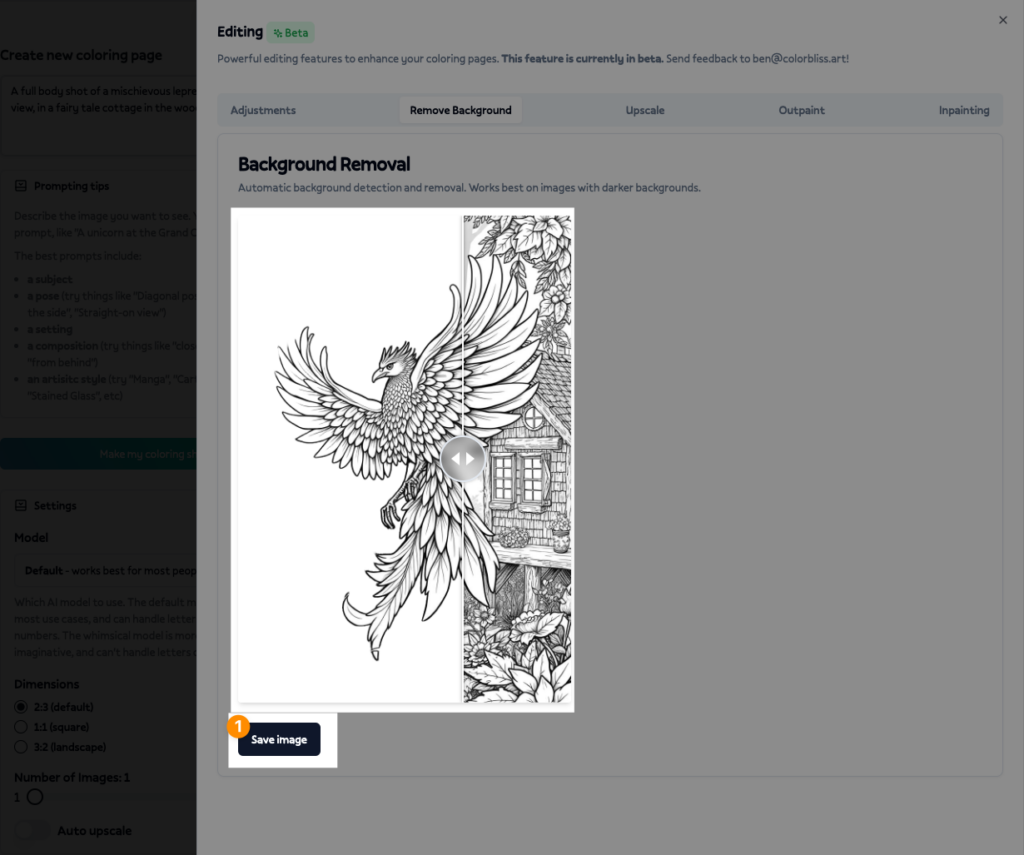
Changelog: One Click Background Removal


Remove backgrounds from your coloring pages with one click!
How it works:
- Hover over the image in your ColorBliss dashboard.
- Click the Paintbrush to open up the Edit panel.
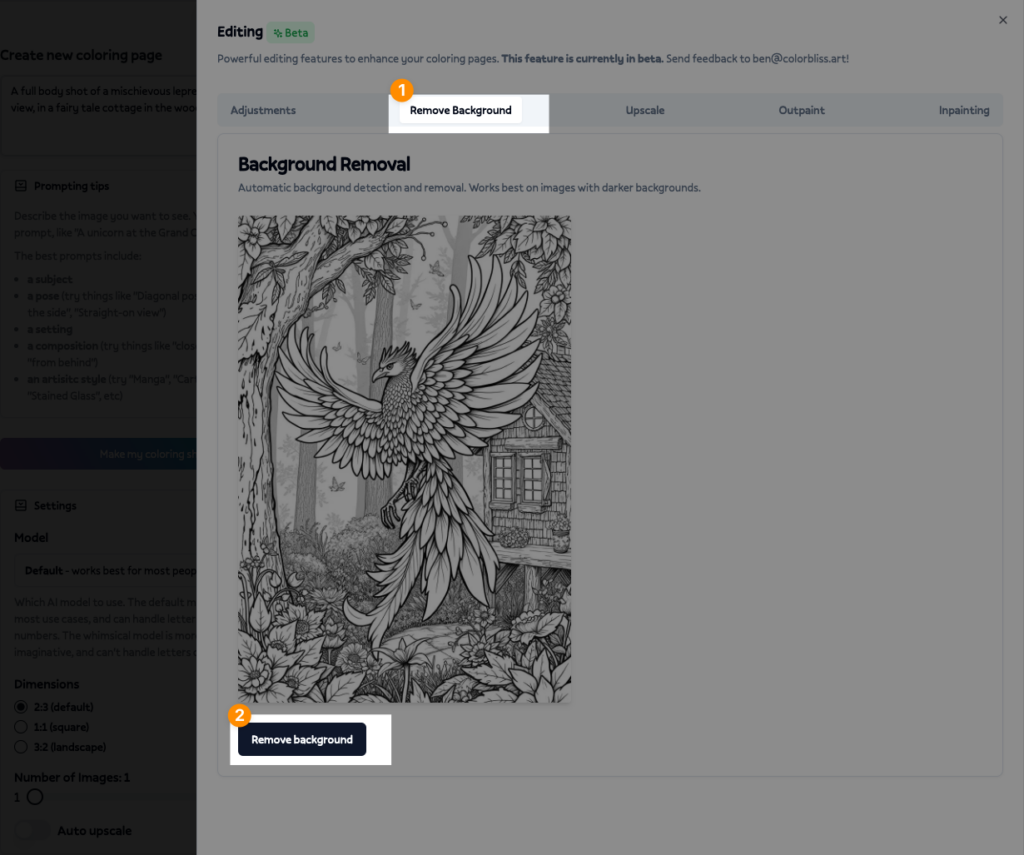
- Click on the Remove Background tab
- Click the Remove Background button.
- Click save to save the new image to your dashboard!